Table of contents
- Does the image file name actually affect SEO?
- How to name images for SEO: 7 rules
- 20 good vs bad image file name examples
- File name vs alt text vs title: what's the difference?
- What about EXIF data and image metadata?
- A 2-minute workflow for every image
- How to rename images on popular platforms
- Common mistakes to avoid
- FAQ
- Before your next upload
Quick answer: Here's how to name images for SEO: rename each file before you upload it so the name says what the picture shows, in 3 to 6 lowercase words joined by hyphens. Add your keyword only if it really describes the image. So blue-cotton-kurti-front-view.webp, not IMG_20261103_142215.jpg.
Most of us spend ages on the title and meta description, then upload a file called Screenshot (47).png. That name ends up in the image URL. It's also what people see when they save your picture, and Google reads it as one small clue about what the image shows. Fixing it takes seconds.
The 7 rules below cover how to name images for SEO on any site. After them you'll find 20 before-and-after file names, mostly from Indian blogs and shops, plus a short workflow for WordPress, Blogger, Shopify and Meesho.
Does the image file name actually affect SEO?
Yes, a little. Google's image SEO best practices say the file name gives only "very light clues" about an image. Alt text, captions and the words around the picture carry more weight. The file name earns its place by agreeing with them.
- Alt text: the strongest on-page image signal, and the one screen readers depend on.
- Captions and nearby text: tell Google what the image is doing on this page.
- File name: a light hint that backs up the alt text.
- Page topic: an image sitting on a page about the same subject does far better in Google Images.
When all four describe the same thing, Google can match your image to the right searches in Google Images, in Discover and in the small thumbnails next to regular results.
How to name images for SEO: 7 rules
Here's how to name images for SEO in practice. Run every upload through these seven checks.
1. Describe what is actually in the image
Ask one question: if someone couldn't see the picture, would the file name tell them what's in it? red-saree-silk-border.jpg passes. best-saree-online-cheap.jpg fails, because it talks about what you want to sell while the photo shows a saree with a silk border.
2. Use hyphens, not underscores or spaces
Google reads a hyphen as a gap between words. An underscore can glue two words into one, and a space turns into %20 in the URL. Stick to word-word-word.
3. Keep it lowercase
Plenty of servers treat Product-Photo.jpg and product-photo.jpg as two different files. One wrong capital letter in your HTML and the image breaks. Use lowercase everywhere and the problem never comes up.
4. Keep it short: 3 to 6 words
Specific, but readable at a glance. Cut filler like "image", "photo" and "picture". Drop "of", "the" and "and" too, unless the name stops making sense without them.
5. Use your keyword only when it fits naturally
If your focus keyword describes the image, use it. If it doesn't, leave it out. A post with ten images called seo-tips-1.jpg through seo-tips-10.jpg tells Google nothing new about any of them. Give each image its own name and let related terms carry the rest.
6. Rename before you upload
The moment you upload, the file name becomes part of the image URL. Changing it later means uploading again, fixing every page that uses the old file and ideally redirecting the old URL. On your laptop it's a right-click.
7. Match the language of the page
Writing in Hindi? Use transliterated or English words in the file name, like gulab-flower-pink.jpg, and keep them close to the page topic. Devanagari and other non-Latin characters get percent-encoded, so the URL becomes a long run of codes nobody can read.
20 good vs bad image file name examples
The quickest way to learn how to name images for SEO is to look at real before-and-after pairs. Old name on the left, better one on the right:
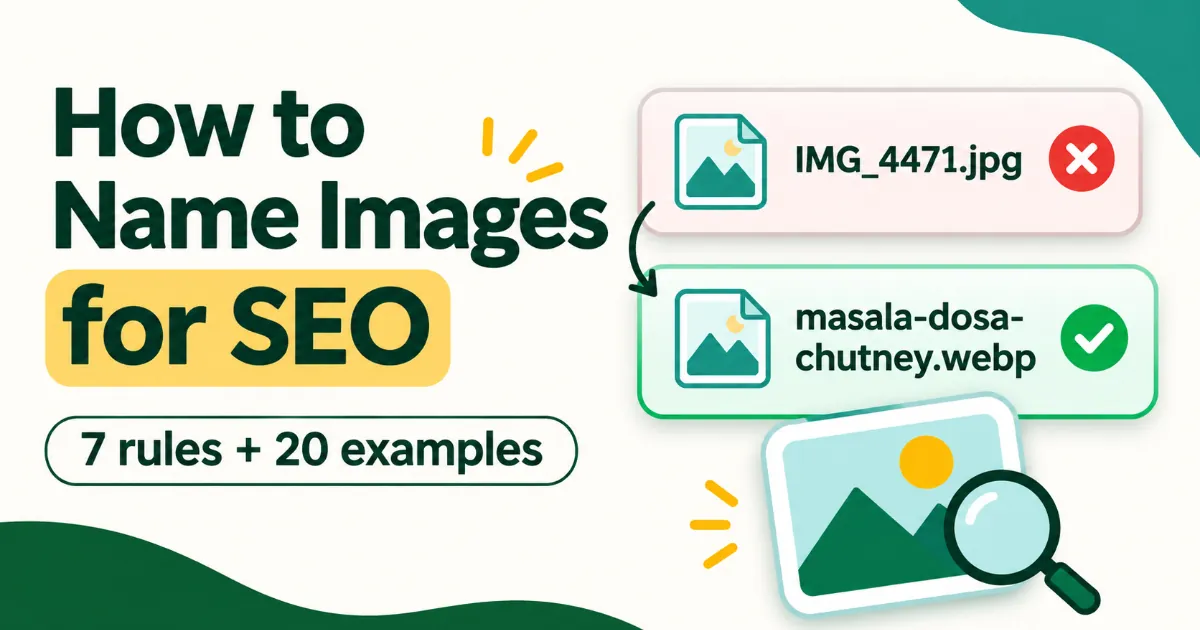
IMG_4471.jpg→masala-dosa-with-coconut-chutney.jpg(says what the dish is)DSC00912.JPG→hisar-clock-tower-evening.jpg(place, scene, lowercase)Screenshot (47).png→google-search-console-coverage-report.png(names what the screenshot shows)product_1_final.jpg→womens-black-running-shoes-side.jpg(product, colour and angle)kurti.jpg→yellow-cotton-a-line-kurti.jpg(specific instead of generic)seo seo tips seo.jpg→on-page-seo-checklist.jpg(no stuffing, no spaces)WhatsApp Image 2026-11-02.jpeg→handmade-jute-bag-front.jpg(drops the app's default text)Banner-Final-V3.png→diwali-sale-banner-2026.png(lowercase and meaningful)image1.webp→rank-math-seo-score-100.webp(matches the post topic)doctor.jpg→pediatric-clinic-reception-karnal.jpg(adds local context)chart.png→webp-vs-avif-file-size-chart.png(says what the chart compares)Photo_of_a_beautiful_red_rose.jpg→red-rose-close-up.jpg(shorter, hyphens)best-cheap-mobile-cover-buy-now.jpg→iphone-16-silicone-cover-blue.jpg(describes the product instead of pitching it)untitled-design-(2).png→blog-post-thumbnail-image-seo.png(no brackets or tool defaults)team.jpg→serpnuts-team-office-2026.jpg(brand plus context)a1b2c3d4e5.jpg→white-background-product-photo-setup.jpg(a human can read it)गुलाब-का-फूल.jpg→gulab-flower-pink.jpg(avoids an encoded URL)logo.png→serpnuts-logo.png(includes the brand)step.png→step-3-add-alt-text-wordpress.png(step number, task and platform)food-food-food-delhi.jpg→chole-bhature-old-delhi.jpg(the actual dish and place)
File name vs alt text vs title: what's the difference?
The file name is a short label that lives in the URL. Alt text is a full sentence describing the image for screen readers and Google, and it matters much more. The title attribute is only the tooltip people see on hover.
- File name:
chole-bhature-old-delhi.jpg. Short, hyphenated, a light hint for search engines. - Alt text:
alt="Plate of chole bhature with onion and pickle at an Old Delhi stall". Natural language, written for someone who can't see the photo. - Title attribute: carries very little SEO weight. Most sites can skip it.
A habit that works: write the alt text first, then cut it down into a file name. For the alt side, see our 20 good vs bad image alt text examples.
What about EXIF data and image metadata?
EXIF and IPTC metadata sit inside the image file itself: title, description, copyright, author and keywords. Google can read some of it, mainly the creator and copyright details it shows as licensing info in Google Images. It won't lift your rankings on its own (we go through the evidence in does EXIF data affect SEO?).
Fill it in anyway. Your name and copyright stay attached when someone downloads or reposts the image, and your own files are easier to find later. Set the file name, alt text and metadata in one sitting so they all describe the same picture.
A 2-minute workflow for every image
Once you know how to name images for SEO, the rest of image optimisation takes about two minutes per image:
- Pick a relevant image that supports the section it sits in.
- Write the alt text as one clear sentence.
- Cut it down into a file name of 3 to 6 lowercase, hyphenated words.
- Resize and compress. Most blog images don't need to be wider than 1200 to 1600px.
- Convert to WebP or AVIF for smaller files and faster pages (see WebP vs AVIF).
- Add metadata such as title, author and copyright.
- Upload, paste the alt text and place the image next to the text it supports.
Steps 2 to 6 fit on one screen of the free SerpNuts Image SEO tool. Upload a photo, accept or edit the suggested file name and alt text, add EXIF details and download WebP or AVIF. You get 10 images a month on the free plan. This post's own thumbnail went through exactly that: the original PNG was 1.03 MB, and the WebP with EXIF and XMP data came out at 42 KB.
How to rename images on popular platforms
The rules for how to name images for SEO don't change between platforms. What changes is how each one treats the file name:
- WordPress: rename on your computer before uploading. For files already in the Media Library, a plugin such as Media File Renamer can change names and update links.
- Blogger: keeps your original file name in the image URL, so rename before you insert the image.
- Shopify: rename before uploading products. Existing files live in the Files section of your admin.
- Meesho and other marketplaces: usually rename files on upload, so put your effort into image quality, clean backgrounds and accurate titles (our Meesho image rejected guide helps here).
Common mistakes to avoid
- Uploading camera or phone defaults like
IMG_xxxxorWhatsApp Image. - Stuffing the same keyword into every image on the page.
- Using underscores, spaces, capital letters or brackets.
- Renaming old, already-indexed images without updating the links. That can break images across your site.
- Naming an image after your keyword when the picture shows something else.
FAQ
Should I put my focus keyword in every image file name?
No. Use it on the main image if it describes that image. Give the others descriptive names built from related terms.
Is it worth renaming old images on my site?
Usually not. The gain is small and renaming can break links. Apply the rules to new uploads, and to old images only on your most important pages.
How long should an image file name be?
About 3 to 6 words, or under 50 characters.
Do image file names matter for Google Images?
A little. Alt text, page context and image quality matter more, and a clear file name backs all of them up.
What is the simplest way to remember how to name images for SEO?
Write the alt text first, then shorten it into 3 to 6 lowercase words joined by hyphens. If the result still describes the picture, you're done.
Before your next upload
Open the folder of images for your next post and rename them now, before they get anywhere near your CMS. If you'd rather do the alt text, EXIF data and WebP conversion in the same pass, run them through the SerpNuts Image SEO tool.