
Table of contents
- What Makes a Good Meta Description?
- Meta Description Length Best Practices 2026
- Meta Description Examples That Drive Clicks
- Match Search Intent in Your Meta Description
- Add a Strong CTA and Focus on Benefits
- Use Active Voice and Keep It Concise
- How to Write a Meta Description Step by Step
- Common Mistakes When Writing Meta Descriptions
- Tools to Speed Up Meta Description Writing
- How to Test and Improve Your Meta Descriptions
- Frequently Asked Questions
- Start Writing Better Meta Descriptions Today
Quick answer: How to write a meta description starts with matching search intent, then adds a benefit and a call to action in under 160 characters using active voice. Google may rewrite your text when a different part of the page answers the query better, according to its Search Central guidance on controlling snippets.
If your pages rank but few people click, the snippet is often the problem: it doesn't match what the searcher wanted, or it gives no reason to choose your page.
Below are the steps, how length behaves on mobile and desktop, and before-and-after examples you can adapt.
What Makes a Good Meta Description?
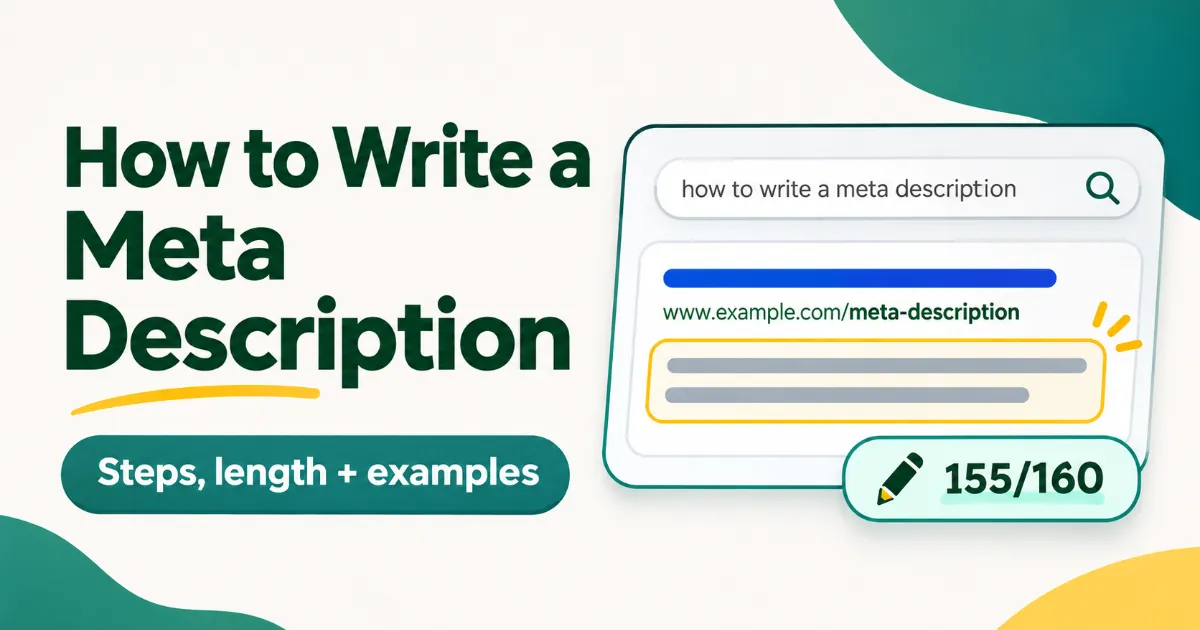
A meta description appears under your page title in search results. It must highlight unique value and include a call to action so readers click. Google Search Central states that Google may rewrite the text when another part of the page matches the search query better.
Begin in Google Search Console and review the current SEO meta description for your target pages. This shows whether search engines already use your text or create their own. Check the meta description length next because longer text gets cut on mobile screens.
Before you rewrite anything, put the main benefit of the page in the first few words, and make sure the description describes this page rather than the whole site. Keyword placement matters on the rest of the page too; our guide to keyword density for SEO covers that.
Meta Description Length Best Practices 2026
Target under 160 characters when you write a meta description. Google sets no fixed length, so the SerpNuts editor uses a 0/160 character counter to flag any risk of cuts.
Meta description length still drives how much of your text appears in results. Keep it short and the full message is far more likely to reach readers on phones.
Check the mobile view first. Phone screens are narrower, so they show fewer characters before the snippet is cut.
Desktop vs Mobile Display Limits
Snippets are trimmed to fit device width, so there is no exact character limit. Aim for roughly 150 to 160 characters and put the benefit early. Desktop results usually show more text than phones, which means a description that looks complete on a laptop can lose its last sentence on mobile. Test your text in the SerpNuts preview before publishing, and follow the same checks covered in our Rank Math 100 score guide.
Can meta descriptions include emojis or special characters?
Yes, they can increase attention if used sparingly. One emoji at the start can draw the eye in a crowded list of results. Two or more often push the remaining text past the mobile limit and make the snippet look cluttered. Special characters such as quotation marks or dashes survive better than icons, yet they still count toward the total length. Keep any symbol test inside the 0/160 counter so you see the trimmed version before the page goes live.
Meta Description Examples That Drive Clicks
Before: "Best SEO tools for bloggers in India to improve rankings fast." After: "Free AI SEO checks for Indian bloggers: Rank Math style scoring, a 0/160 counter and a live Google snippet preview. Try it free." Paste each version into the SerpNuts meta description field to see how the snippet preview changes.
Meta description examples like these stay under the character limit while naming a clear benefit and action.
How does meta description affect click through rate?
A meta description affects click through rate by shaping the first impression in search results. People scan the snippet to judge relevance before they click, so text that matches the query and states a direct benefit gives them a reason to pick your result. A generic line gives them none, which makes the benefit and the call to action the parts most worth testing.
You can build similar pairs by writing a short benefit statement first, then trimming it in a preview tool. Our SEO content brief template keeps the same structure across posts, and Google explains how it picks snippets in its snippet documentation.
Match Search Intent in Your Meta Description
Align your text with the exact query people type so Google keeps the version you wrote instead of swapping it for another line on the page. Google Search Central notes that it may rewrite a meta description when another part of the page matches the query better. Target the main search intent first, then add one clear benefit and a call to action.
Space is short, so every word should serve the query. A description that answers what the searcher typed is less likely to be replaced, though Google can still choose its own snippet. Use the phrases the searcher expects while still sounding natural.
Look at meta description examples from top-ranking pages for your keyword to see how intent shows up in practice. The same principle applies when you write a meta description for any page. For more on matching intent across page elements, read how to name images for SEO.
Add a Strong CTA and Focus on Benefits
A strong meta description pairs one clear benefit with a direct call to action. This structure gives readers a reason to choose your page and tells them what to do next.
When you write a meta description, lead with the benefit such as saved time or higher rankings. Follow it with a short phrase that prompts action like "start free" or "see the results". The whole line must stay under 160 characters so the text appears complete in search results.
Many writers list three or four benefits and leave no room for the call to action. That approach weakens the message and often causes Google to drop the last part. Keep the focus on one benefit and one action only.
Benefits beat features in an SEO meta description. "Same-day AC repair across Karnal" tells a reader more than "We offer AC services". Test your version in the SerpNuts editor.
Use Active Voice and Keep It Concise
Active voice turns every sentence into a clear action that readers grasp without effort. Passive constructions add extra words and weaken the message, so replace them with direct verbs that show who does what.
If you cut filler words like "is being" or "has been", your text stays inside the limit and reads faster on a phone.
Meta description best practices stress short, punchy lines because searchers scan results in seconds. When you write a meta description, test each draft by reading it aloud. Any phrase that feels wordy needs a stronger verb instead.
Remove adverbs and repeated ideas next. The result fits the character count and keeps the focus on one benefit plus one call to action.
How to Write a Meta Description Step by Step
Many writers think they can draft a meta description at the last minute once the page is finished.
That habit usually produces flat text Google simply swaps out for another line from the page.
A stronger method builds the description from the keyword onward and checks it against real search intent before publishing.
Write it once the page content is final, so it describes what the page actually covers.
Research Your Target Keyword First
Begin with the primary keyword you chose during keyword research and place it naturally in the first line. Use the same approach for blog posts and category pages. Looking at the descriptions of pages already ranking shows what searchers are offered today, so you can decide which benefit or price point to lead with. The SerpNuts AI outline suggests three meta descriptions once you enter the target keyword, which gives you a starting point to edit.
How to write meta description for e-commerce product pages?
Focus on one clear benefit, the current price, and a short sense of urgency. State what the item does for the buyer, name the price in rupees, and add a direct phrase such as order today. Keep the full text under 160 characters so it fits mobile screens without truncation. This format matches purchase intent and raises the chance Google keeps your version instead of rewriting it.
Common Mistakes When Writing Meta Descriptions
What are common mistakes when writing meta descriptions?
Check your draft against three common errors before you publish. Duplicate descriptions across pages make Google more likely to show its own snippet. A string of keywords reads badly and has the same effect. And a long description gets cut off on mobile screens.
Start by comparing the description with your title tag. If both say the same thing, the description wastes its space; use it to add what the title can't. Next, scan for the same phrase repeated in one sentence and remove the extras.
Then test the revised version in a live snippet preview tool.
If the line still feels forced, rewrite it from scratch.
Tools to Speed Up Meta Description Writing
A live preview removes most of the guesswork. SERP preview tools show roughly how the text will appear in results.
The SerpNuts editor displays a live meta description field with a 0/160 character counter and a Google snippet preview. Its free plan allows 10 content optimizations a month with no card required.
A free meta description checker catches length issues before you publish.
What tools help check meta description quality?
Use SERP simulators and SEO audit tools for preview. These options show real-time SERP snippet behavior across devices and flag problems such as missing keywords or weak calls to action. Test your text in the simulator, adjust the wording, and confirm the final version matches the page content.
Write and preview your meta description free in the SerpNuts editor.
How to Test and Improve Your Meta Descriptions
A sample meta description for a local service page: "Local SEO services in Hisar for small businesses: Google Business Profile setup, on-page fixes and monthly reports. Book a free call." The live preview shows how it appears before you publish.
You will notice changes when Google replaces the text with another line from the page that matches the query better. Return to the SerpNuts editor and adjust the copy to keep the version that matches the search result most closely.
The 0/160 character counter and snippet preview let you spot length issues early. Test the updated text again after any rewrite to confirm the new version still fits device width.
Repeat the check every few weeks. Small changes based on what Google actually shows are the practical way to improve CTR with better meta descriptions.
When you write a meta description, track the live preview results to refine the next version quickly.
Frequently Asked Questions
Should every page have a unique meta description?
Yes, ideally. Google recommends a unique description for each page so the snippet reflects that page. If writing one for every page is not realistic, start with the homepage and your most visited pages, and let Google generate snippets for the rest.
Does Google always use the meta description in search results?
Google does not always use the meta description in search results. It may replace the provided text with another line from the page when that section matches the query more closely. Google Search Central notes this behavior in its guidance on controlling snippets. The change happens automatically when the engine finds stronger relevance elsewhere on the page.
How important is meta description for local SEO in India?
Meta descriptions don't affect rankings directly. On local pages, a city or area name tells searchers the result is relevant to them, which can help clicks.
How often should you update meta descriptions?
Update meta descriptions during content refreshes or after ranking drops. This timing keeps the text aligned with current page content and search trends. When you write a meta description as part of a refresh, test it against the latest keywords first. Regular checks prevent outdated phrasing from hurting click rates over time.
What role does meta description play in mobile search?
A meta description must stay concise on mobile search because snippets adjust to smaller screen widths. Google trims text to fit device displays rather than using a fixed character count. Longer descriptions get cut off before readers see the full message. Keeping the text short ensures the main benefit and call to action remain visible on phones and tablets.
Start Writing Better Meta Descriptions Today
Check the mobile preview first when you finish a draft because device width often decides what Google shows. This step catches cuts that desktop tests miss.
When you write a meta description, test it in a preview that shows both desktop and mobile views. The SerpNuts editor gives you the character counter and snippet preview so you can adjust until it fits.