
Table of contents
- What is internal linking in SEO?
- Why internal linking for SEO matters
- Contextual vs navigational internal links
- Anchor text best practices
- Do internal links pass link equity?
- How internal links build topic clusters
- How to find and fix orphan pages
- An internal linking strategy for blogs
- Common internal linking mistakes
- FAQ
- Link your next post properly
Quick answer: Internal linking for SEO means linking from one page on your site to another with clear, descriptive anchor text. These links help Google find your pages and understand how they relate. They also show readers where to go next. Google's own guidance is simple: every page you care about should have a link from at least one other page on your site.
Most sites have a few good posts that get almost no traffic, and the reason is often boring. Nothing links to them. Google finds them late or not at all, and readers never reach them from the pages they already visit.
This guide covers what Google actually says about internal links, how to write anchor text, how to find orphan pages (a normal crawl can't find them on its own), and a simple plan for adding links to a blog without stuffing every paragraph.
What is internal linking in SEO?
An internal link is any link from one page to another page on the same domain. Menu links, footer links, breadcrumbs and links inside your article text all count. Internal linking for SEO is about placing those links on purpose, so important pages get found, related pages are connected and every link tells the reader what they'll get when they click it.
External links point to other sites. Backlinks are links from other sites to yours. Internal links are the one kind you control completely, which makes them one of the quickest on-page fixes you can make.
Why internal linking for SEO matters
Google's link best practices say Google uses links to find new pages and as a signal for how relevant a page is. In practice, internal links do three jobs:
- Discovery: Googlebot follows links. A new post linked from a page Google already crawls often gets found sooner than one that only sits in your sitemap.
- Context: anchor text and the words around a link tell Google what the target page is about.
- Importance: pages that many of your other pages link to look more important within your site than pages with one link or none.
There's a reader side too. A post on meta descriptions that links to how to write a meta description at the exact point a reader wants an example keeps that reader on your site, which is the whole point of the link.
Contextual vs navigational internal links
| Type | Where it sits | What it's good for |
| Contextual | Inside the body text of an article or page | Showing how two topics connect, with anchor text that describes the target |
| Navigational | Menus, footers, sidebars, breadcrumbs | Helping people move around the site and keeping key pages a few clicks from the homepage |
You need both. Navigation keeps the structure of the site clear, while contextual links carry most of the topic meaning, because the text around them explains why the two pages belong together. A footer link to your pricing page on every page is fine. A footer stuffed with fifty keyword anchors is not.
Anchor text best practices
Anchor text is the clickable text of a link. Google recommends that it be descriptive, reasonably short and relevant to both the page it sits on and the page it points to.
- Weak: "To learn more, click here."
- Better: "See our guide to matching content to search intent."
- Over-optimised: "best internal linking for SEO tips internal links guide"
A few habits keep anchors useful:
- Describe the target page, not your own keyword wish list.
- Vary the wording when several pages link to the same target, the way people naturally would.
- Avoid "click here", "read more" and "this article" as the whole anchor.
- Don't put two links next to each other with no text between them. Readers can't tell them apart.
- Use a real
<a href>link. Google says it can reliably crawl only links that use an<a>element with anhrefattribute, so links that work only through JavaScript click events may be missed.
Do internal links pass link equity?
Yes. Links between your own pages pass value much like links from other sites do, which is why a strong page linking to a weaker, related page can help it. This is the part of internal linking for SEO that people overthink. Google doesn't publish how much value moves through each link, so don't treat it as a formula. Treat it as common sense: link from the pages that already get traffic and links to the pages you most want to grow, as long as the topics really connect.
You also don't need nofollow on normal internal links. It only stops a page from getting value you'd usually want it to have. If a page shouldn't be in search at all, use noindex on that page instead.
How internal links build topic clusters
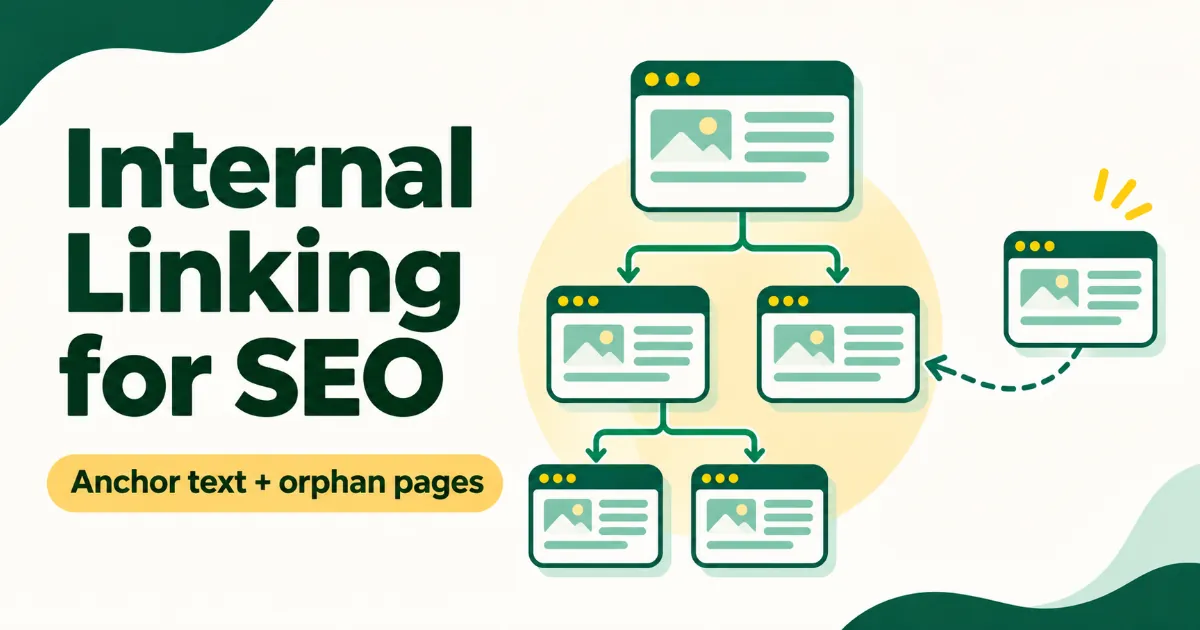
A topic cluster is one pillar page that covers a broad subject plus several supporting articles that each answer one narrower question. The pillar links out to every supporting page, and each supporting page links back to the pillar and to its closest sibling.
For example, a pillar on "on-page SEO" might link to supporting posts on keyword density, meta descriptions, image file names and content briefs. Each of those links back with an anchor like "on-page SEO checklist". This is where internal linking for SEO pays off most: it turns a set of separate posts into coverage Google can see. We explain the bigger idea in what is topical authority in SEO.
How to find and fix orphan pages
An orphan page has no internal links pointing to it. Here's the catch: a normal site crawl starts from your homepage and follows links, so it can never reach a page nothing links to. To find orphans, you have to compare the crawl with a second list of URLs.
- Crawl the site with a crawler such as Screaming Frog (the free version handles up to 500 URLs) and export every URL it found.
- Export your known URLs from your XML sitemap, and from Search Console's Pages report.
- Compare the two lists. Any URL in the sitemap or Search Console that the crawl didn't find is a likely orphan page.
- Decide on each one. Link to it from two or three related pages if it's useful. Merge it into a better page if it's thin. Redirect or remove it if it's out of date.
Orphan pages often show up in Search Console as "Discovered – currently not indexed". If you have a lot of those, our guide to fixing Discovered – currently not indexed goes through the other causes too.
An internal linking strategy for blogs
You don't need a big audit to start with internal linking for SEO. This routine works for a blog of any size:
- Before you publish a new post, find three to five older posts on the same subject. Searching your own site in Google with
site:yourdomain.com topicis the fastest way. - Link out from the new post to the pages a reader would want next, at the exact sentence where they'd want them.
- Edit two or three older posts to link to the new one. This is the step most people skip, and it's the one that gets the new post found.
- Link to the pillar page if the post belongs to a topic cluster.
- Check your top pages every few months in Search Console's Links report, which lists your most-linked pages. If an important page is near the bottom, give it more links.
How many links per post? Google gives no number. Link wherever a reader would genuinely want the next step, and stop there. In a long guide that might be eight links. In a short answer post it might be two.
Common internal linking mistakes
Most internal linking for SEO problems come from a handful of habits:
- Using "click here" or "read more" as the only anchor text.
- Linking every mention of a keyword, so paragraphs fill up with links that go to the same page.
- Pointing links at pages that redirect, instead of updating them to the final URL.
- Leaving links to deleted pages, which send readers and Googlebot to a 404.
- Publishing new posts without editing any older post to link to them.
- Hiding important pages five or six clicks deep, reachable only through pagination.
FAQ
How many internal links should a blog post have?
There's no fixed number from Google. Add a link wherever a reader would want more detail on the next step, and keep each one relevant. Long guides naturally have more links than short posts.
Do internal links help with crawling?
Yes. Google discovers pages by following links, so a page linked from pages Google already crawls is easier to find than one listed only in a sitemap.
Should I use exact-match anchor text for internal links?
Sometimes, when it's the natural description of the page. Varied, descriptive anchors read better and look less forced than the same exact keyword on every link.
Are footer and sidebar links bad for SEO?
No. They're useful for navigation. Just keep them short and relevant, and don't use them to stuff keywords across every page.
Can internal links fix pages that aren't indexed?
They often help when the page was hard to find. If the page is thin or duplicates another page, links alone won't get it indexed, so improve or merge it first.
Link your next post properly
Pick your newest post, find three older posts on the same subject and add one descriptive link from each of them today. To find those older posts faster, the SerpNuts Internal Link Finder suggests which existing pages should link to a new post. For a whole topic, the Content Cluster planner builds a pillar page, supporting articles and an internal-linking map with anchor text.